Free Live Wallpaper Options for Mac
Free ways to get a live wallpaper on Mac — Apple’s built-in dynamic and aerial wallpapers, free apps for your own videos, and a free app for 4K scenes with sound.
You don’t have to pay to put motion on your Mac desktop. Between what macOS already includes and a few free apps, there’s a free route for most people — here’s what each one gives you, and where it stops.
Short answer: macOS has free dynamic and aerial wallpapers built in. ScreenPlay is a free, open-source app for your own video files, and Tayu is free to use, with a $9.99 one-time upgrade for Pro. You can get a live desktop without spending anything with any of the three.
1. Apple’s built-in dynamic and aerial wallpapers
The simplest free option needs no download. Open System Settings → Wallpaper and
pick a Dynamic wallpaper that shifts with the time of day, or an
Aerial video. It costs nothing and takes seconds — the limit is that you’re stuck
with Apple’s set, with no way to add your own video. Free in money, not in disk: users on Apple’s
support forums report the downloaded aerials climbing past 10 GB, the complete set across every
category running to roughly 130 video files, and the background idleassetsd process
fetching them again after they’ve been deleted — which is worth knowing before you switch them on
over a tethered connection.
2. ScreenPlay — free and open source, for your own videos
If you have a video clip you want as your background, ScreenPlay is free, open source, and plays your own files as wallpaper, with desktop widgets too. It’s the go-to free option when you’re bringing your own content, though it’s a little more do-it-yourself than paid apps. One hardware caveat: the project says smooth video playback needs a reasonably modern GPU, and suggests older machines use its QML, HTML or GIF wallpaper types instead of video.
3. Tayu — 4K scenes and YouTube wallpapers, free
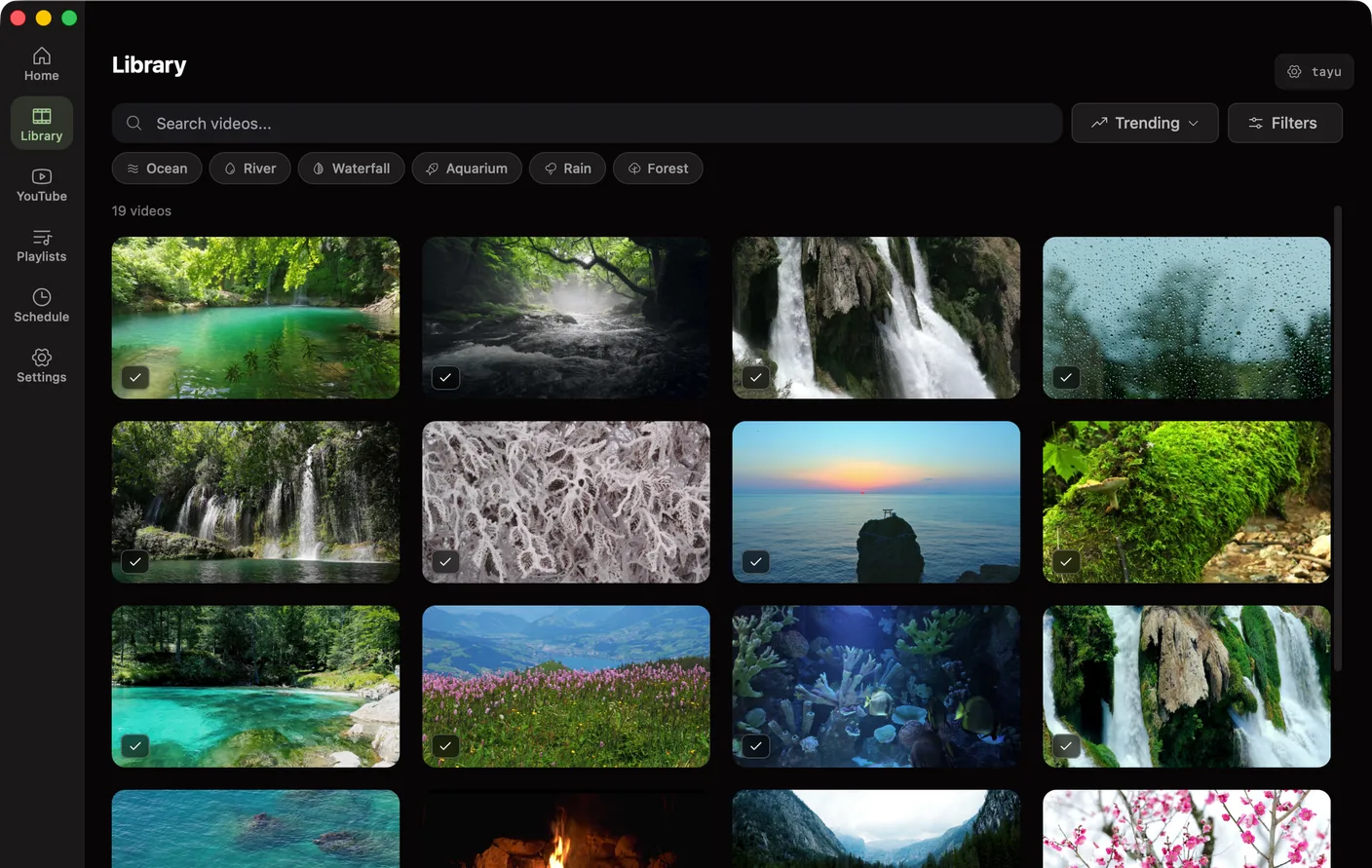
Free includes the complete 4K scene library with matching ambient sound, overlay mode, and YouTube videos as wallpaper — one scene at a time, for as long as you like, with no time limit and no card. Pro adds playlists, scheduled scenes, and Flow for a $9.99 one-time purchase, and your first week includes it.

Tayu — a healthy rhythm for desk work
4. Plash — free, for a website as your wallpaper
If you’d rather have a web page on your desktop — a dashboard, a clock, generative art — Plash is a free Mac app that does exactly that. Different from a video wallpaper, but free and genuinely useful for some setups. It takes a remote or a local page, and its App Store listing notes an animated GIF works as a wallpaper. What it isn’t is a video player: audio is muted by design, so a clip with sound isn’t the case it’s built for.
Which free option fits
- Zero setup → Apple’s built-in dynamic and aerial wallpapers.
- Your own video files → ScreenPlay.
- A 4K scene or YouTube video, with sound → Tayu, free.
- A website on your desktop → Plash.
Want the paid options too? See the best live wallpaper apps for Mac.
FAQ
Are there free live wallpapers for Mac?
Yes. macOS includes free dynamic and aerial wallpapers, and several apps have free options — ScreenPlay is free and open source. Tayu is free to use — the full 4K scene library and YouTube videos as wallpaper cost nothing. Pro adds playlists, schedules, and Flow for a $9.99 one-time purchase.
Is Tayu free?
Yes. Tayu is free to use — the full 4K scene library and YouTube videos as wallpaper cost nothing. Pro adds playlists, schedules, and Flow for a $9.99 one-time purchase. Free has no time limit and needs no card.
What’s the best free option for my own video files?
ScreenPlay. It’s free, open source, and plays your own video clips as wallpaper, which is the free equivalent of what paid video-wallpaper apps do.
Are Apple’s aerial wallpapers free?
Yes. The dynamic and aerial wallpapers in System Settings → Wallpaper are part of macOS at no cost, though you can only use Apple’s set, not your own video.
A calmer live wallpaper for Mac
Tayu pairs 4K nature scenes with ambient sound, YouTube wallpapers, playlists, schedules, and AI scene switching for focused work and small breaks.