10 Ways to Work From Home in a Hot Room Without Air Conditioning
Ten fixes for a home office that overheats in summer — where the heat actually comes from, which fan placement works, throttling laptops, and the sound and screen changes that make a hot room feel less oppressive.
A home office is usually the hottest room in the house in summer: it faces the sun for part of the day, it's small, and it contains a person and two or three machines all converting electricity into heat. Most of these fixes are about stopping heat arriving rather than removing it after it has.
Short version: block the sun before it reaches the glass, move air across your skin rather than around the room, and cut the heat your own equipment adds. A person at a desk plus a laptop and a monitor puts out roughly 200–300 W continuously, which in a small closed room is a meaningful load on its own. Perceived temperature also drops with airflow and with what you're looking at and hearing, which is why the last two entries are here.
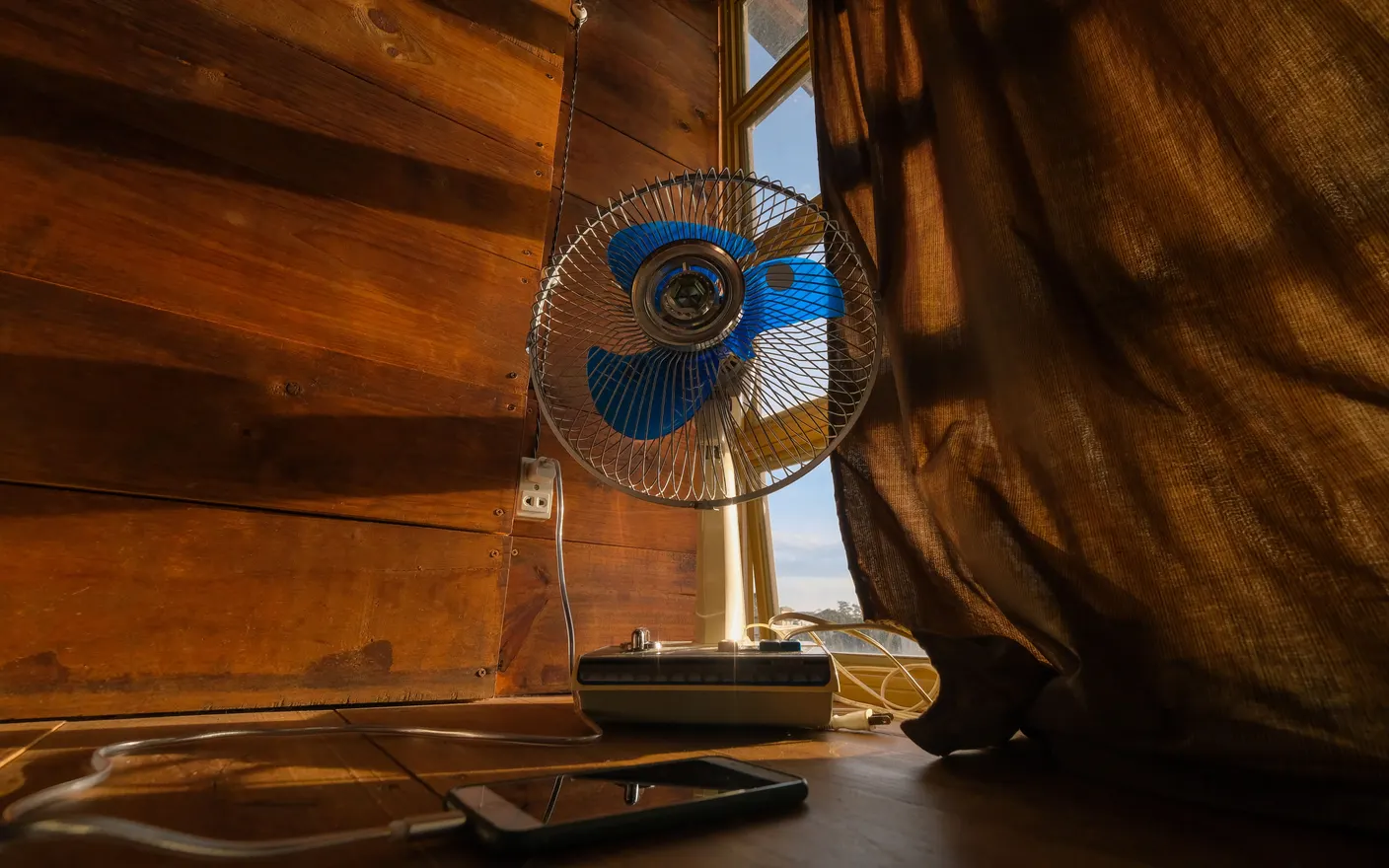
1. Block the sun outside the glass, not inside — external shading beats any blind
Once sunlight is through the window, the heat is in the room and a blind only decides which surface absorbs it. External shading — an awning, a shutter, even a temporary outdoor screen — stops it before it converts. Where external isn't possible, a reflective film or a light-coloured blackout blind on the outside face of the curtain still beats a dark curtain, which absorbs and re-radiates.
2. Point the fan at yourself, not around the room — moving air on skin is the mechanism
A fan doesn't cool air; it accelerates evaporation from your skin, which is why a fan in an empty room does nothing. Aim it at you, at a distance where you can feel it but it isn't drying your eyes — usually 1.5–2 m. The comfort standards actually price this in: ASHRAE 55 lets you count moving air as a few degrees off the room temperature, up to about 0.8 m/s if you're not the one holding the dial. One caution, though: all of that depends on sweat being able to evaporate. Once the air is hotter than skin — around 35°C — a fan is moving hot air onto you, and public health agencies stop recommending fans as the answer at that point. What's left is water, a cooler room, or leaving the room, not a faster fan.
3. Ventilate on the temperature difference, not the clock — open while outside is cooler
The rule is simple and it isn't a time of day: windows open while the outdoor air is cooler than the indoor air, shut once it isn't. Opening two windows on opposite sides through that window flushes the day's heat out; leaving them open once outside has overtaken the room pulls hot air in. In a temperate summer that period is usually overnight and the first hours after dawn, but it moves with the weather and with how much heat the walls are still holding, so a cheap indoor–outdoor thermometer settles it better than a schedule does.
4. Put an exhaust fan in the window facing out — pull hot air out rather than pushing cool air in
Heat rises and pools at ceiling height. A fan in an upper window blowing outward, with a door or lower window open elsewhere, sets up a flow that empties the hottest layer. This works far better than a fan blowing inward, which mostly stirs the room. Do it in the evening once outside is cooler.
5. Cap the laptop's power draw — thermal throttling is already costing you performance
A laptop under sustained load in a hot room throttles to protect itself, so you're paying in fan noise and lap heat for performance you aren't getting. Closing the heavy background tasks, using an external monitor at 60Hz rather than 120Hz, and raising the laptop on a stand so air reaches the underside all reduce the heat it dumps into the room and into you.
6. Move the desk off the sun-facing wall — it keeps radiating for hours after the sun moves
A sun-facing wall keeps radiating for hours after the sun has moved off it, so a desk pushed against it sits in that radiant heat well into the evening. Even moving a metre away is noticeable. If the room only has one workable position, this is a case for shifting your hours instead — work at that desk in the morning and elsewhere after 2pm.
7. Turn off the second monitor and the overhead light — each is 20–60 W of heat
Every watt a device uses ends up as heat in the room. A second monitor is typically 20–40 W, an older halogen or incandescent fixture 40–60 W, a desktop under load several hundred. In a small closed room, switching off what you aren't using at that moment is a real reduction, not a rounding error.
8. Drink before you're thirsty — some of what the afternoon feels like is dehydration
In a hot room the symptoms people attribute to the heat — dull headache, heavy concentration, irritability — are frequently mild dehydration, because thirst lags the deficit. A filled bottle within reach and finished twice before 3pm handles it. It's the cheapest item here and the easiest one to forget.
9. Wear the room's temperature down — loose sleeves and a cold wrist run beat a colder room
Running cold water over the inside of your wrists for 30 seconds does nothing to your core temperature, but it reliably changes how hot you feel, which is the part that's making the afternoon hard. Combined with loose, breathable sleeves it's more effective per effort than trying to change the temperature of an entire uninsulated room.
10. Change what the room looks and sounds like — perceived temperature isn't only physical
A bright, still, silent hot room feels hotter than the same room with moving water on the screen and rain in the background. This isn't a substitute for airflow, but the perceptual component of thermal comfort is real and it's free. A cool-toned scene — rain, a river, snow — with matching sound is the version of this you can set once. Tayu switches both layers together, so the room changes without you stopping to change it.

Tayu — a healthy rhythm for desk work
How to choose
- The room is hot by mid-morning → this is solar gain. Shade the glass from outside, and shut the windows once outside is warmer than the room.
- The room is hot by evening → this is stored heat in the walls and your equipment. Exhaust fan out, devices off.
- You're uncomfortable but the thermometer is fine → airflow on skin, water, and cool wrists.
- Nothing structural is possible → move your hours, and change the screen and sound layer.
A calmer live wallpaper for Mac
Tayu pairs 4K nature scenes with ambient sound, YouTube wallpapers, playlists, schedules, and AI scene switching for focused work and small breaks.